Three simulators to get started with programming
Three simulators to try in your browser, without an account: the Bee-Bot and the Blue-Bot, a Thymio to program in VPL and a warm-up before opening Scratch. Short missions to discover programming as it is taught in primary school. The simulators are in French.
A prototype. A personal trial, made to learn. It has no value beyond that of a test: it may contain errors, change or disappear, and it is neither a product nor a service of HEP-VS.
Bee-Bot and Blue-Bot Thymio and VPL Before Scratch
The three simulators are in French.
The idea
I train future teachers in digital education. For computer science, the Dé>codage teaching materials have pupils program with several tools: the Bee-Bot and the Blue-Bot in cycle 1 (ages 4 to 8), the Thymio robot and its visual language VPL from the 5th year (age 8), then Scratch. In teacher training, and even more so at a distance, not everyone has these robots at hand.
So I made three simulators that reproduce these tools, each with six short missions. I use them in my course, and they are here for anyone who would like to try them, with no account and nothing to install.
Bee-Bot and Blue-Bot
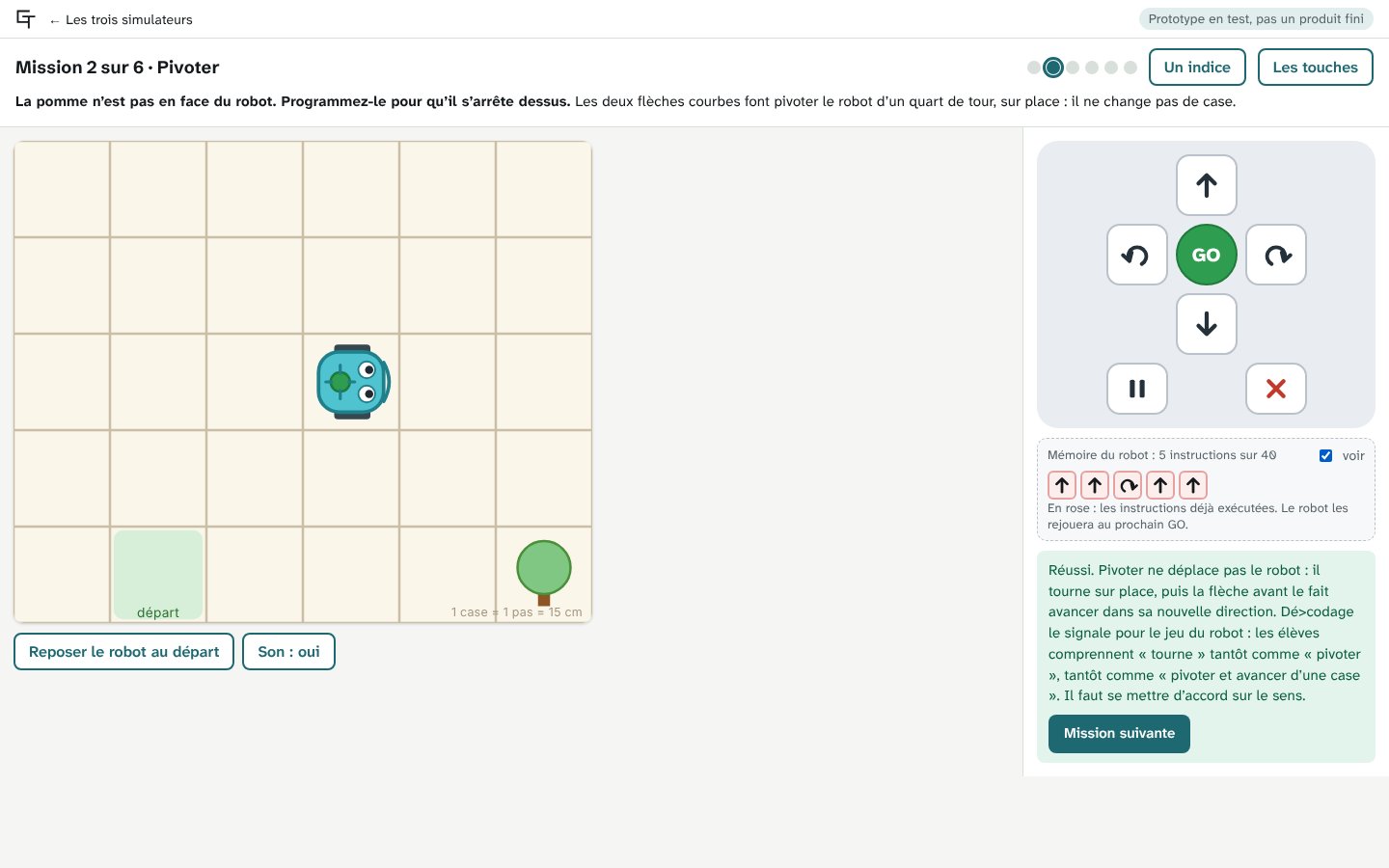
The first simulator imitates the Bee-Bot and the Blue-Bot. You key in a sequence of arrows on the robot’s back, then press GO, and it carries out every instruction in order on a grid mat. The missions go from the first instruction to a route with obstacles. One of them stages the most common trap: the robot keeps the previous instructions in memory until you press the clear key. Two others use instruction cards, to predict the arrival square and then to find the wrong card in a program. Allow 15 to 20 minutes.
Thymio and VPL
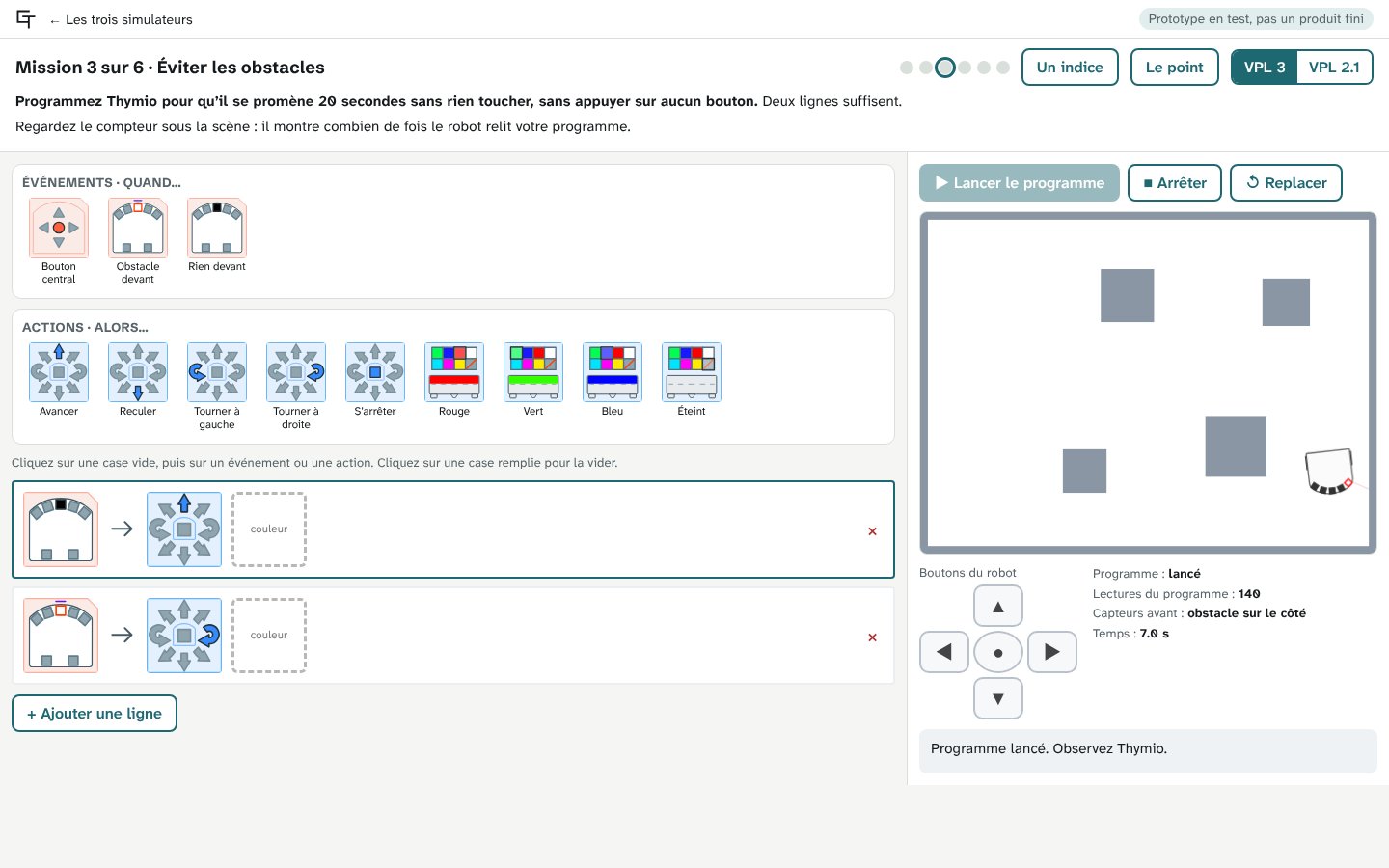
The second simulator has you program a virtual Thymio in VPL. Each line reads “when… then…”: an event, such as a button, an obstacle or the colour of the floor, triggers actions on the motors and the robot’s colour. Four missions take place in the simulator, up to following a black line. The last two compare sequential programming, that of the Bee-Bot and of the square drawn in Scratch, with event-driven programming. A counter shows how many times the robot reads the program again: this is the loop that VPL hides and that Scratch asks you to write.
The blocks look like those of VPL 3, one of the two versions offered by Thymio Suite. A button switches them to VPL 2.1, the version shown in the Dé>codage scenarios. Allow 20 to 25 minutes.
Before opening Scratch
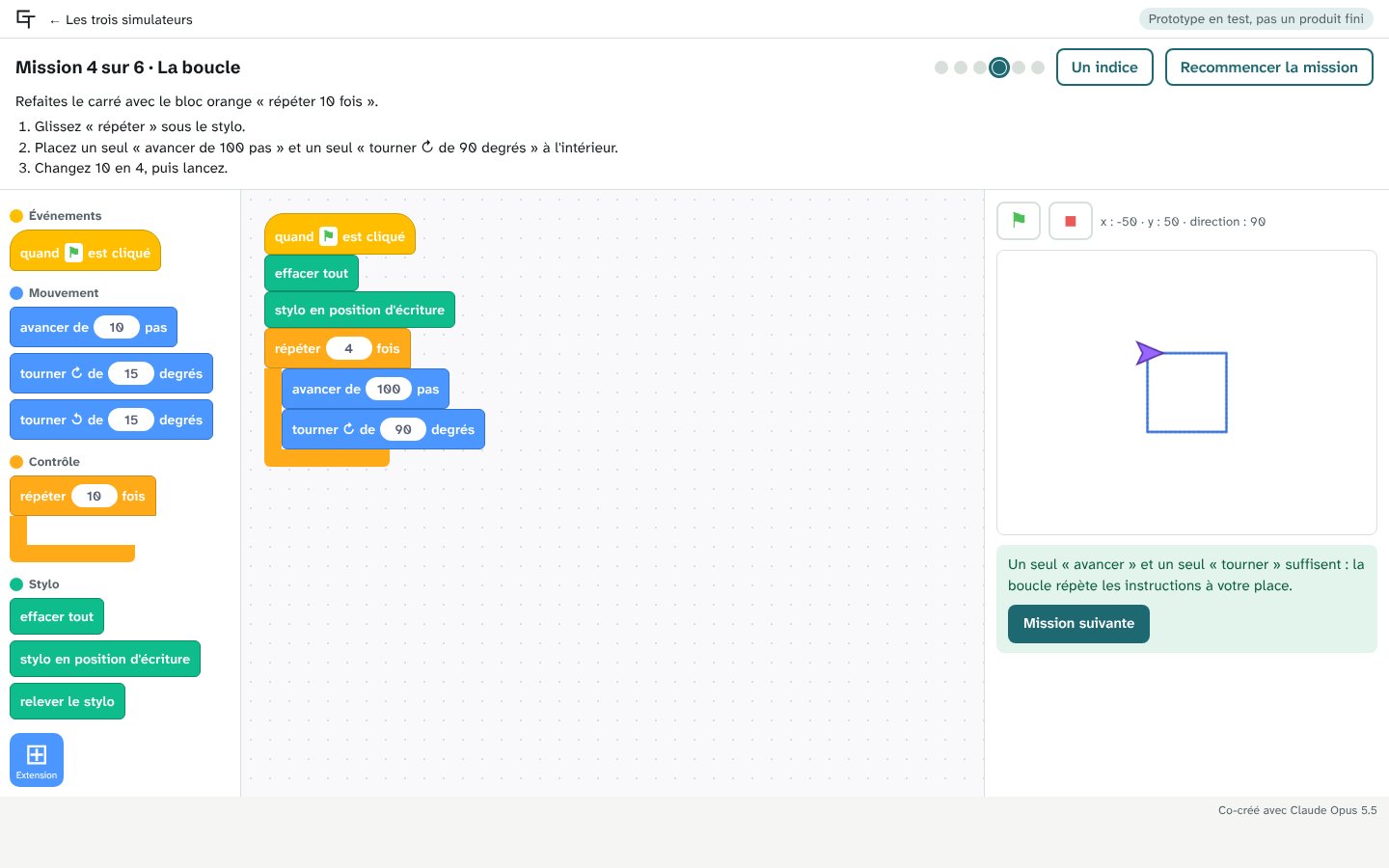
The third simulator reproduces the Scratch screen, with the blocks on the left, the program in the middle and the stage on the right. Six short missions, about ten minutes in all, practise the basic moves: starting a program with the green flag, using the pen, drawing a square block by block and then with a loop, fixing a program that does not work, and starting from scratch at each run. When you then open the real Scratch, you find the same blocks with the same colours.
Open the warm-up before Scratch
Its limits
- These are simplified simulations. The robots on screen have none of the friction, sensor inaccuracies or small trajectory drifts of real robots, which are also part of learning.
- The VPL simulator only offers the blocks needed for the missions: buttons, front sensors, ground sensors, movements and colour. The other VPL blocks, such as the timer or sounds, are not included.
- The Scratch game only contains the blocks needed for its six missions.
- The simulators are in French only.
- Nothing is saved: reloading the page starts again from the beginning.
Good to know
- The VPL 2.1 pictograms are drawn from the open source code of Aseba (LGPL-3.0 licence). The VPL 3 pictograms use the VPL 3 graphics without modification (© EPFL, CC BY-NC-ND 4.0 licence), for non-commercial use.
- Blue-Bot and Bee-Bot are trademarks of TTS Group, and the robot drawn on screen is an original illustration. These simulators are not affiliated with TTS Group, the Thymio teams or the Scratch Foundation.
- The missions are based on the Dé>codage teaching materials, cited in each simulator.
- Everything runs in your browser: nothing is sent, no cookies. Like every page of this site, the simulator pages are only counted by the visit statistics described on the Privacy and legal notice page.
- Provided as is, free of charge and without any warranty.
Co-created with Claude Opus 5.5