Chambre noire, a black-and-white darkroom
A test: recreating, with AI, a tool of the kind Adobe sells, and adapting it to one precise need. The result is a RAW developer devoted to black and white, in the browser or on a Mac; your photos never leave your computer.
A test. A personal trial, made to learn. It has no value beyond that of a test: it may contain errors, change or disappear, and it is neither a product nor a service of HEP-VS.
The idea
There are many demonstrations of people recreating paid software with AI, starting with Adobe’s (one example reported by watson, in French). I wanted to check for myself: is it really that easy? And above all, can one go beyond copying, by adapting the tool to a precise need that general-purpose software serves poorly? I chose black and white: a RAW developer that does only that, and speaks the language of the film darkroom.
This test serves my work as a teacher educator. When I discuss with teachers what AI changes in creative work, or what it means to “make” a tool yourself, I need examples I have tried rather than promises.
The result
A RAW developer that runs in the browser, or as a Mac app, and keeps the image in black and white from start to finish. Each control echoes a darkroom gesture: choosing a film, placing values, dodging and burning by hand, toning the print.
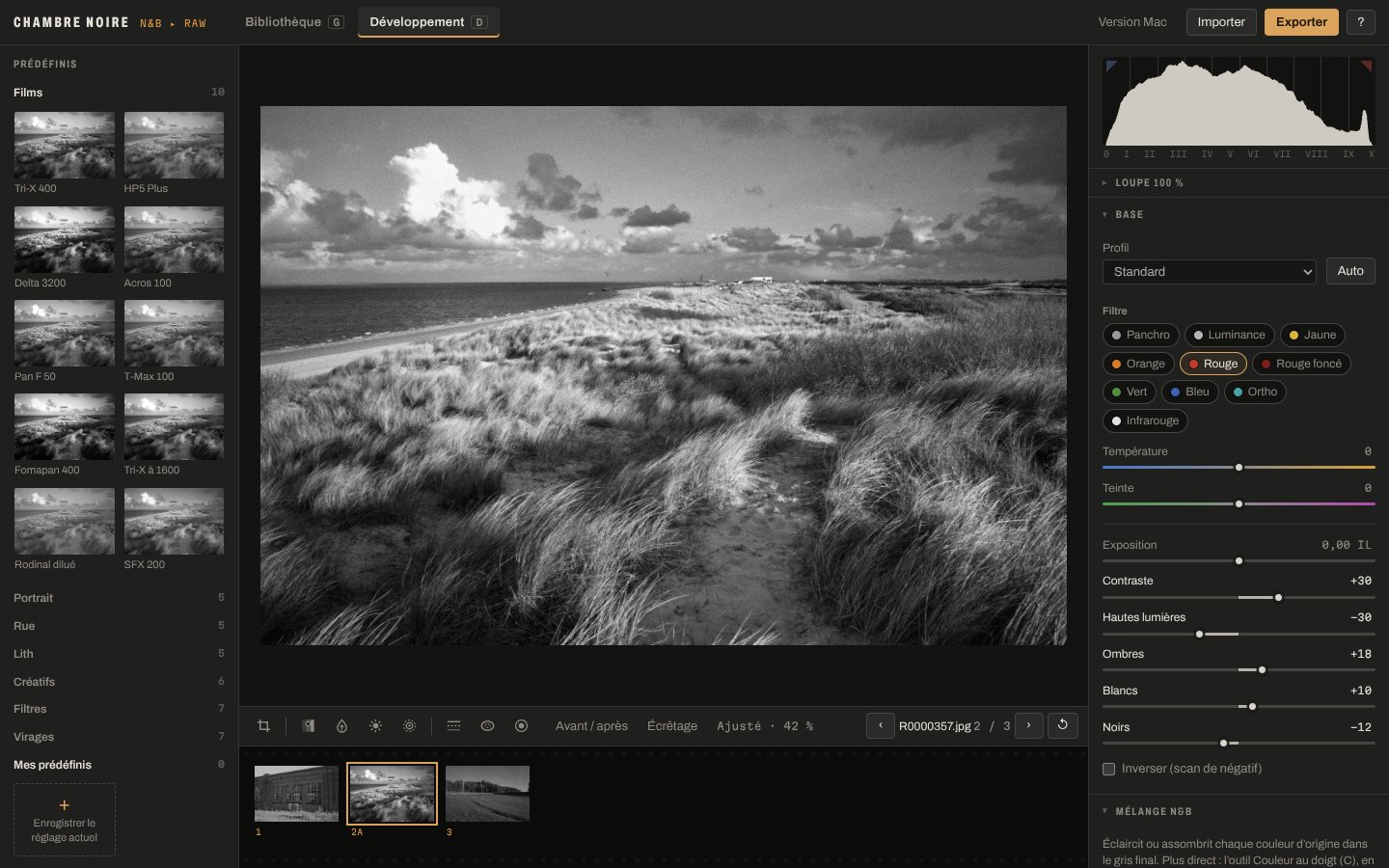
What it does
- Zone placement: you pin points on the image and choose a zone for each, from pure black (0) to paper white (X), in homage to Ansel Adams’s zone system. The curve is computed to hold all pins.
- Colour by touch: point at a colour in the photo and drag to lighten or darken it in grey, like a coloured filter.
- Placed light and attention magnets: patches of light or shadow, and points that draw the eye, without drawing masks.
- Texture: a four-band equaliser (grain, texture, shapes, masses).
- Emulsion and development: a square to choose a film look and a way of developing it, from fine to coarse grain.
- Lith printing: development time and bath dilution, with five reference looks.
- The rest of the darkroom: library, coloured filters, curve, cropping, gradients and brush, toning, inversion of scanned negatives, presets, history, export to JPEG, 16-bit PNG or 16-bit TIFF.
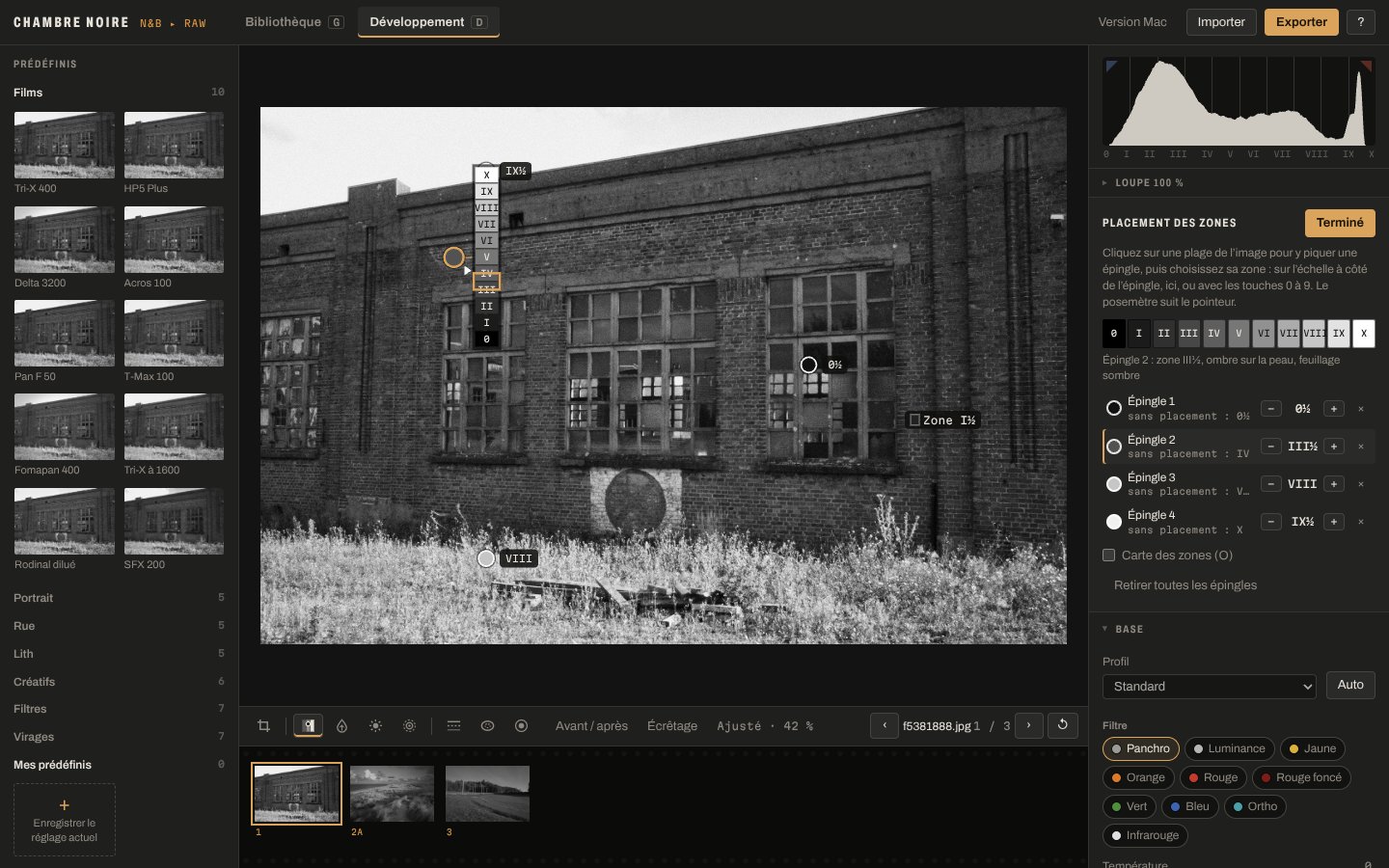
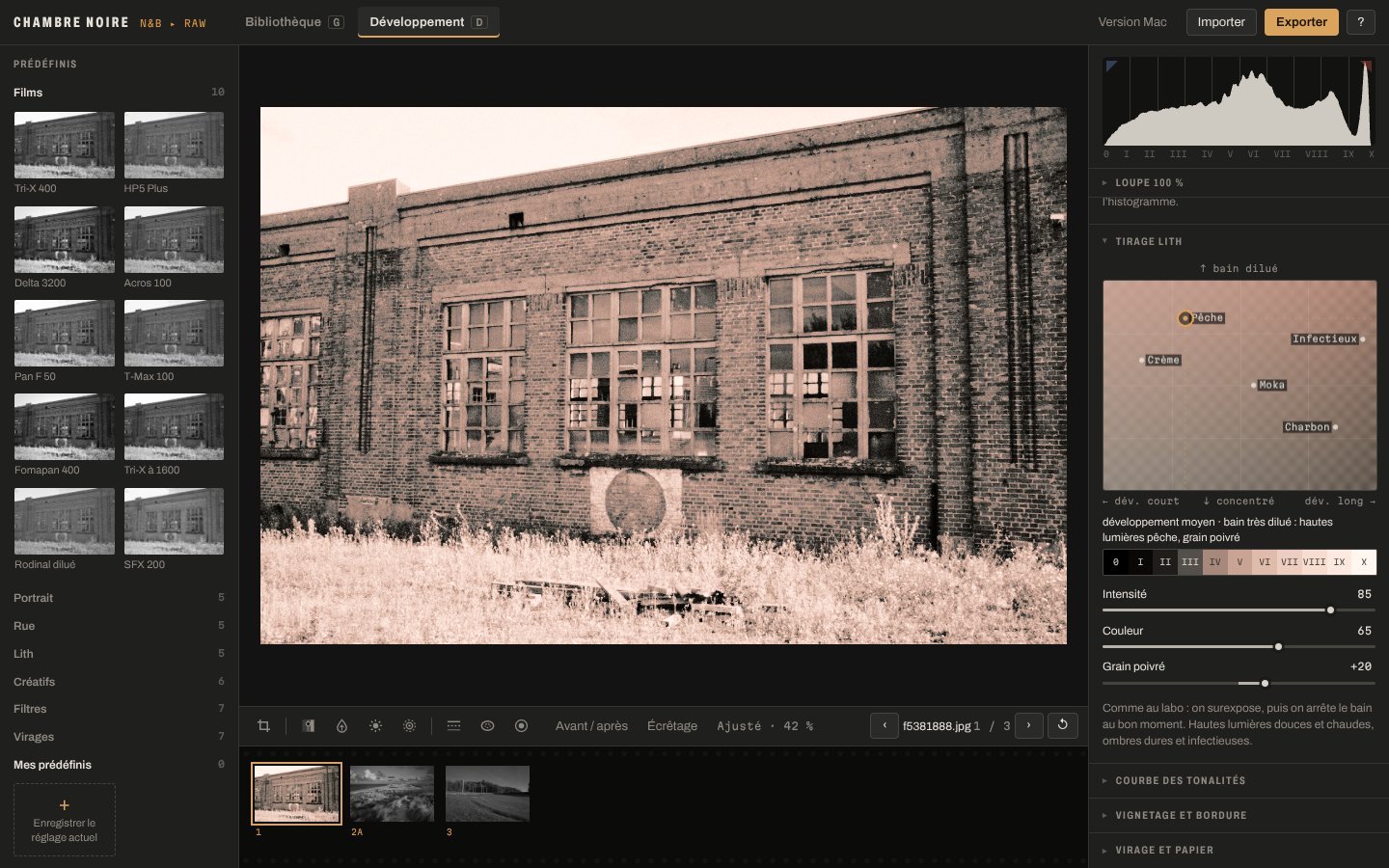
Potential
The test shows that one can get, in a short time, a specialised tool I could not have programmed alone, aimed at a use general software does not target. That is where I see the interest: less in copying existing software than in being able to make the tool that matches a precise need.
Limits
- It is not professional software: it has neither the scope, nor the robustness, nor the years of testing by thousands of people.
- Only Sony ARW and DNG files are decoded as true RAW. Other RAW files (CR3, NEF, RAF…) are developed from their embedded preview, with less latitude.
- It needs a recent browser with WebGL 2 (Chrome or Edge); large files need a decent graphics card.
- The film looks are interpretations, not measured reproductions.
- “Easy” is relative: a first version comes quickly, but a tool that holds up then takes a lot of trials, fixes and checks.
Mac version
Chambre noire also exists as a Mac app (macOS 13 Ventura or later). It opens files and folders on your disk directly and works offline.
Apple silicon Mac (130 MB) Intel Mac (135 MB)
Open the downloaded file, then drag the app into the Applications folder. On first launch, macOS says it cannot verify the app: open System Settings, then Privacy & Security, and click “Open Anyway”. The app is not notarised by Apple (a paid process); it does not connect to any server.
Good to know
- Your photos stay on your computer: they are never sent anywhere. Chambre noire never changes the originals, but always keep a backup.
- No connection with Adobe or with film manufacturers. Adobe, Lightroom, Tri-X, HP5, Pan F, Acros or Delta are trademarks of their owners; their names only indicate what the tool draws on. The code was written for this project, with the help of AI (Claude, by Anthropic).
- The sample photos are public-domain files (CC0) from raw.pixls.us. The Archivo and Martian Mono fonts (SIL OFL licence) are served by this site.
- Provided as is, free of charge and without any warranty: check what the tool produces before relying on it. See also the privacy and legal notice page.