Ardoise de classe, a classroom whiteboard
A trial: can AI produce a classroom board close to paid services, just from a description? The result: timer, random picker, handwriting lines, drawing and about twenty other features, free and without an account.
Prototype under test. A personal trial, made to learn. It has no value beyond that of a test: it may contain errors, change or disappear, and it is neither a product nor a service of HEP-VS.
The idea
Many teachers use online classroom boards, often paid: timer, random picker, today’s date, voice level. I wanted to know whether one can now get a tool close to these services just by describing it to an AI, with one instruction, without knowing how to program.
The question matters in my work in teacher education: if such a tool can be made from a few sentences, what does that change for schools, for the licences they pay for, and for the skills expected of teachers?
The result
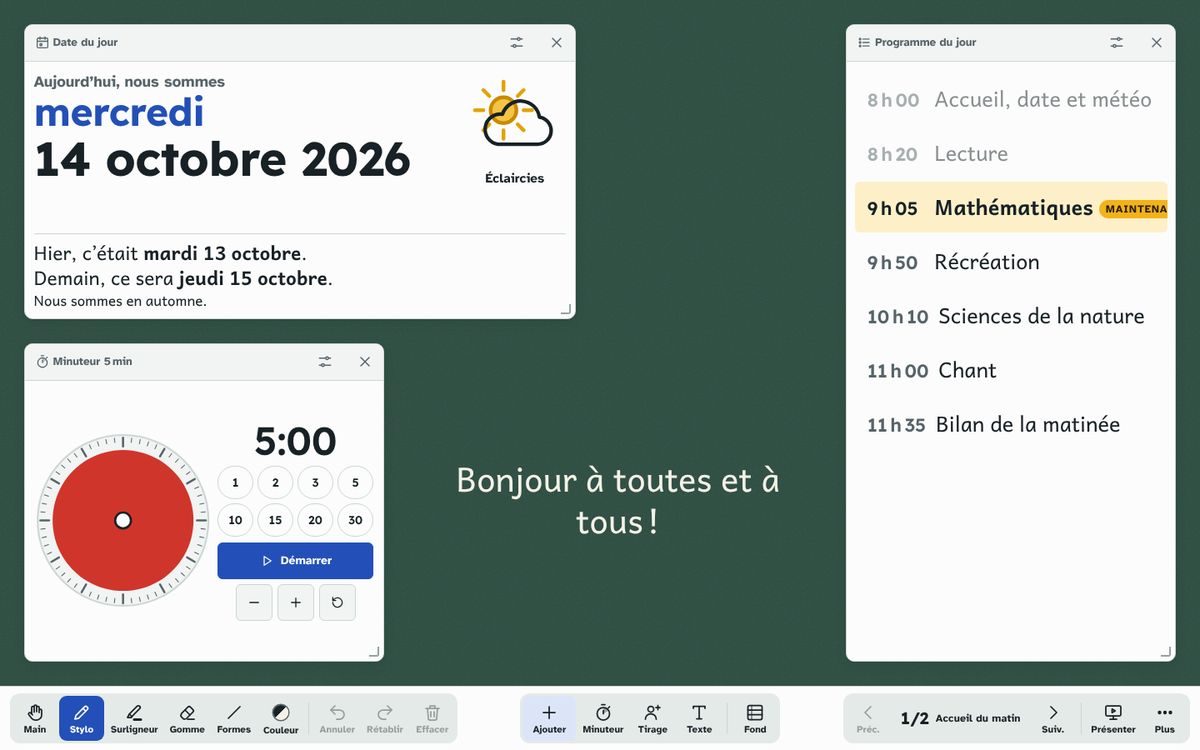
A digital board for the classroom, free and without an account, that fits in a single web page and runs in the browser, preferably on a large screen or an interactive whiteboard. The interface is in French.
What it does
- Write and draw: pen, highlighter, eraser, shapes (line, arrow, rectangle, ellipse), colours and widths, undo and redo, several pages.
- Backgrounds: white, green or black slate, plain colour, image; Swiss handwriting lines (3H-4H, 5H-6H, 7H-8H), Seyès ruling, 5 mm and 1 cm grids, dot paper, music staff, Cartesian axes.
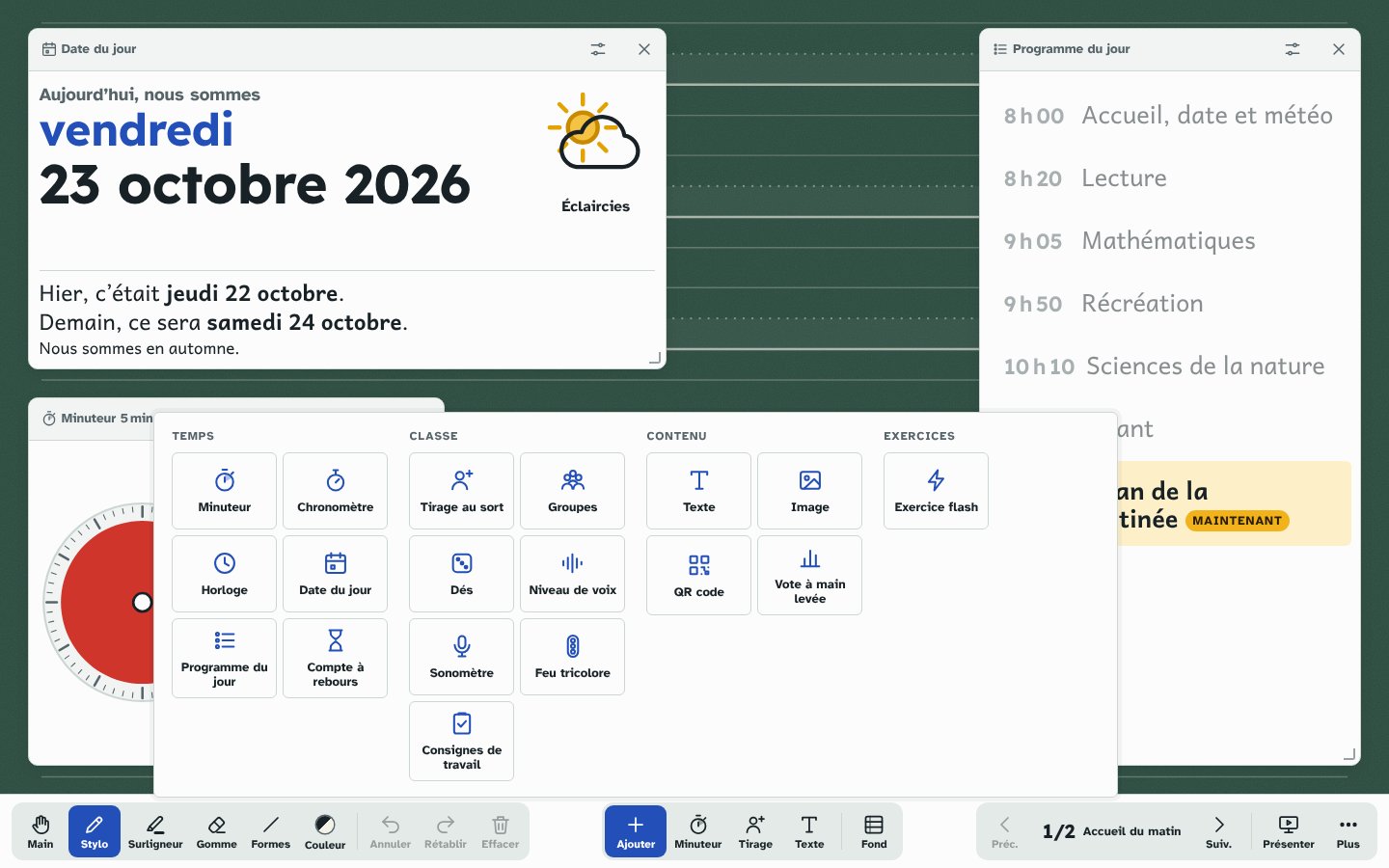
- Windows to place on the page: timer, stopwatch, clock, today’s date (weather picked by hand), daily schedule, countdown, random picker, groups, dice, voice level, sound meter, traffic light, work instructions, text, image, QR code, show of hands and quick-fire exercise.
- Present in full screen, and export or import your pages.
Potential
For a class, it is a complete and free tool that needs no account or installation and keeps nothing of what you do with it. The trial confirms that AI can now produce this kind of tool from a plain-language description. It opens a possibility: that a school or a team makes the tool that suits it, instead of adapting to the one it is sold.
Limits
- “Just one instruction” holds for a first version. The tool shown here then took many rounds of testing and fixing.
- It is a prototype: it has not been tested at length in classrooms, and flaws are likely.
- Pages stay in this browser: changing computers or clearing browser data removes them, unless you exported them.
- On a phone, it is less comfortable to use. Accessibility has not been checked.
Good to know
- What you do on the board is never sent anywhere: everything stays in your browser. The sound meter uses the computer’s microphone to measure the noise level; the sound is neither recorded nor transmitted.
- The board draws on a category of tools whose best-known example is Classroomscreen (a trademark of its owner). It has no connection with that service; the code was written for this project, with the help of AI (Claude, by Anthropic).
- The Andika, Atkinson Hyperlegible and Lexend fonts (SIL OFL licence) and the qrcode-generator library (MIT licence) are served by this site.
- A fuller version of the board is part of L’Établi.
- Provided as is, free of charge and without any warranty: check what the tool produces before relying on it. See also the privacy and legal notice page.